Background
I’ve recently been thinking about how to manage family photos and videos, and the 50GB/month iCloud+ subscription is no longer enough. I asked about options on Twitter, and after evaluating them, upgrading iCloud+ storage turned out to be the most convenient choice for an all-Apple household. But expanding storage in the China mainland region feels painfully expensive, so I finally went with the Turkish iCloud+ plan, which costs about 40% of the mainland price. This post records the steps for registering a Turkish iCloud+ account, topping up with gift cards, and creating a shared family. This guide is based on documentation by 宝藏大叔 (Treasure Uncle) — many thanks for his generous sharing; I’ve given him the “one-click triple” (like + favorite + coin, a Bilibili-style show of support) and tipped him the price of two bottles of cola.
Prerequisites
- Is it legal to use a Turkish iCloud account in the China mainland region?
- Reasonable, legal, and compliant.
- Is it legal to form a shared family with iCloud accounts from different countries?
- Legal. Countries don’t prohibit international marriage, so Apple has even less reason to prohibit this.
- What does forming a shared family between a Turkey-region and a China-region iCloud account do?
- The China-region family can share the Turkey-region account’s basic Apple services, mainly iCloud+ storage. The Turkey-region iCloud+ storage price is about 40% of the China-region price (as of 2024/4/28), with slight fluctuations as exchange rates move.
- The Turkey-region and China-region iCloud accounts cannot share subscription apps, such as Apple Music or purchased third-party apps.
Overview
- How to register a Turkish iCloud account
- How to buy and redeem Turkish App Store gift cards
- iCloud Family Sharing: sharing storage capacity
Main flow diagram
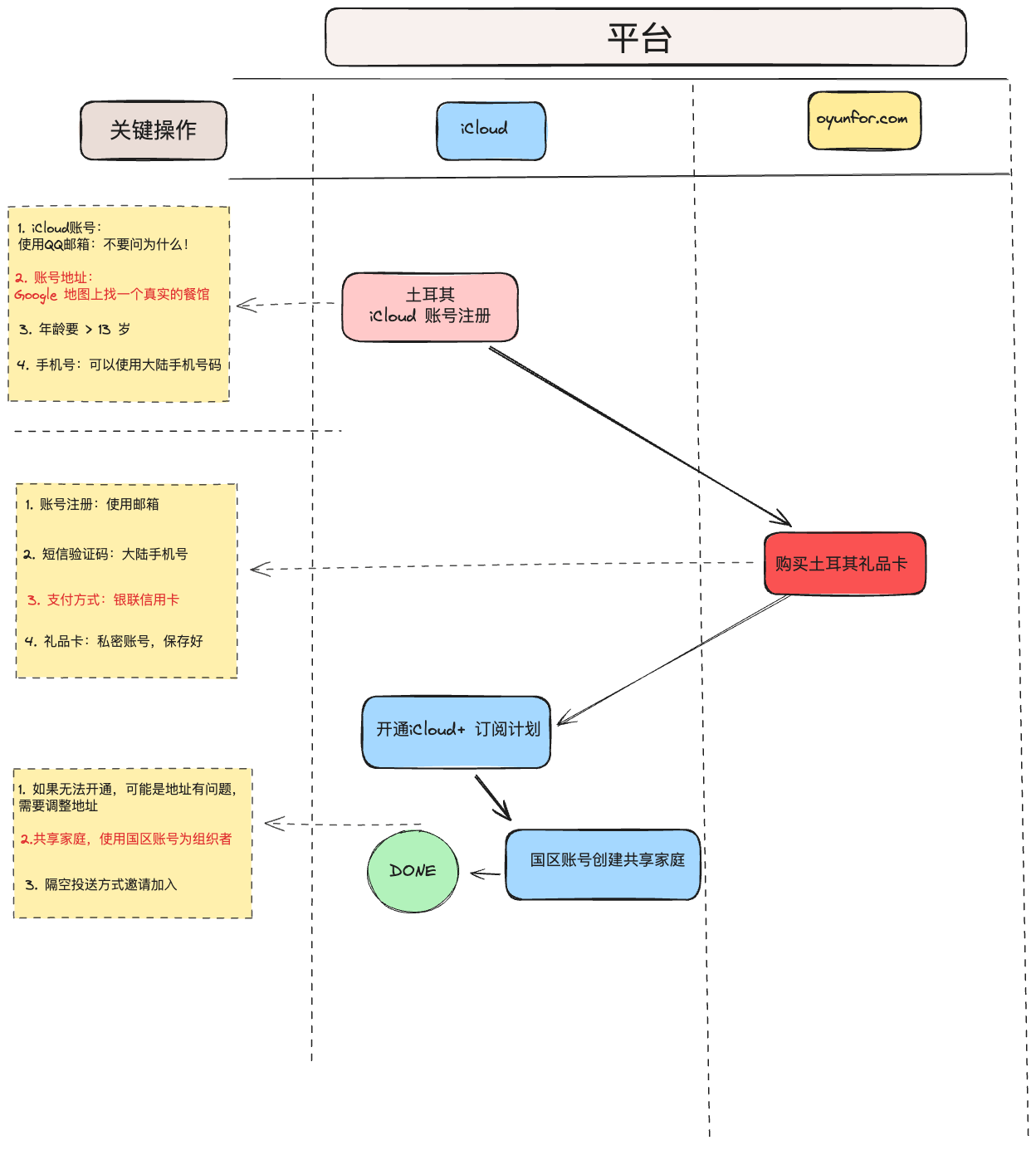
Registering an iCloud Account
Preparation
- A QQ Mail address that has never been registered as an iCloud account — this will serve as the iCloud account.
- A mainland China phone number for receiving SMS verification codes.
Go to https://www.icloud.com/ and sign up
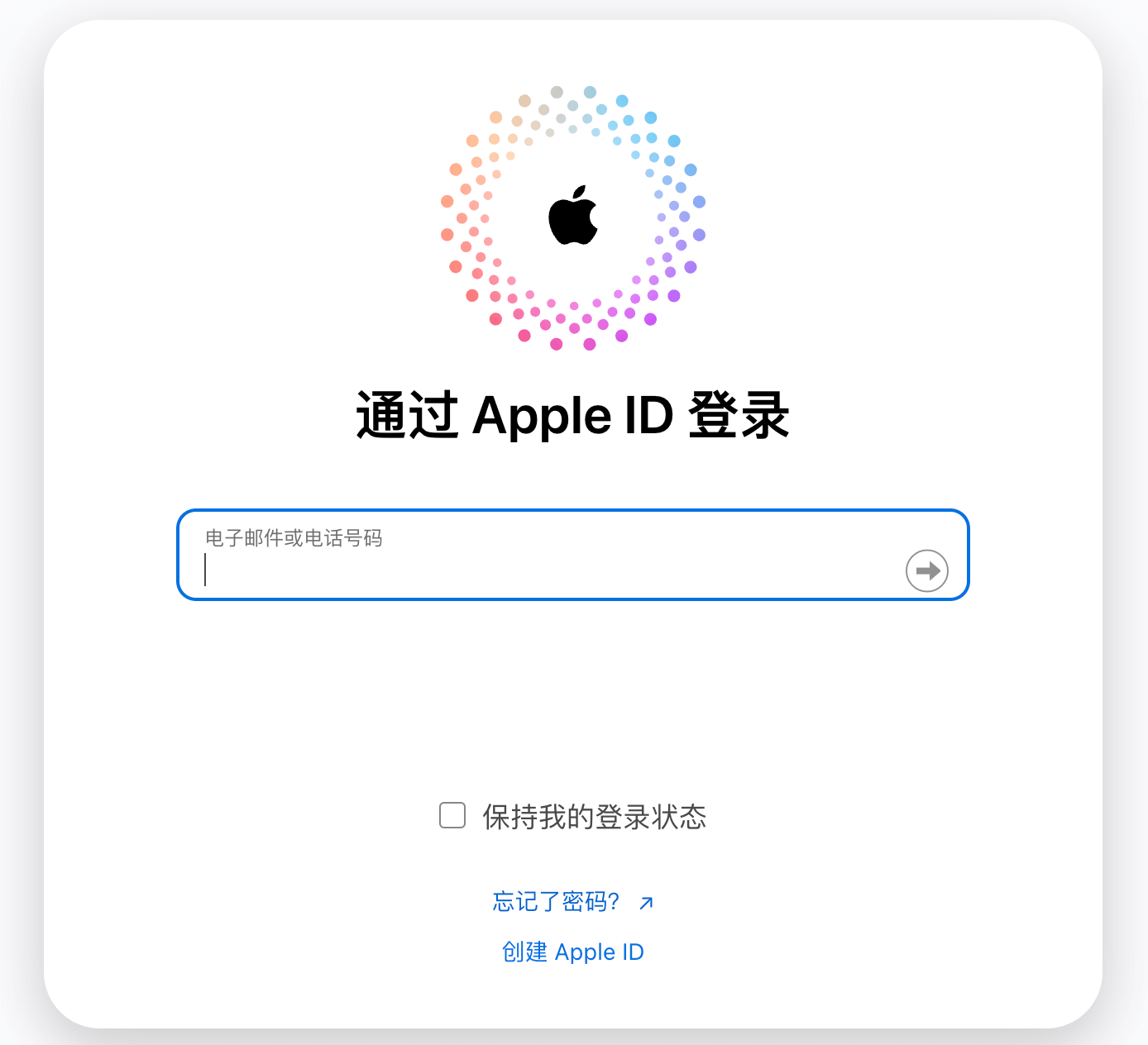
- Click Create Apple ID
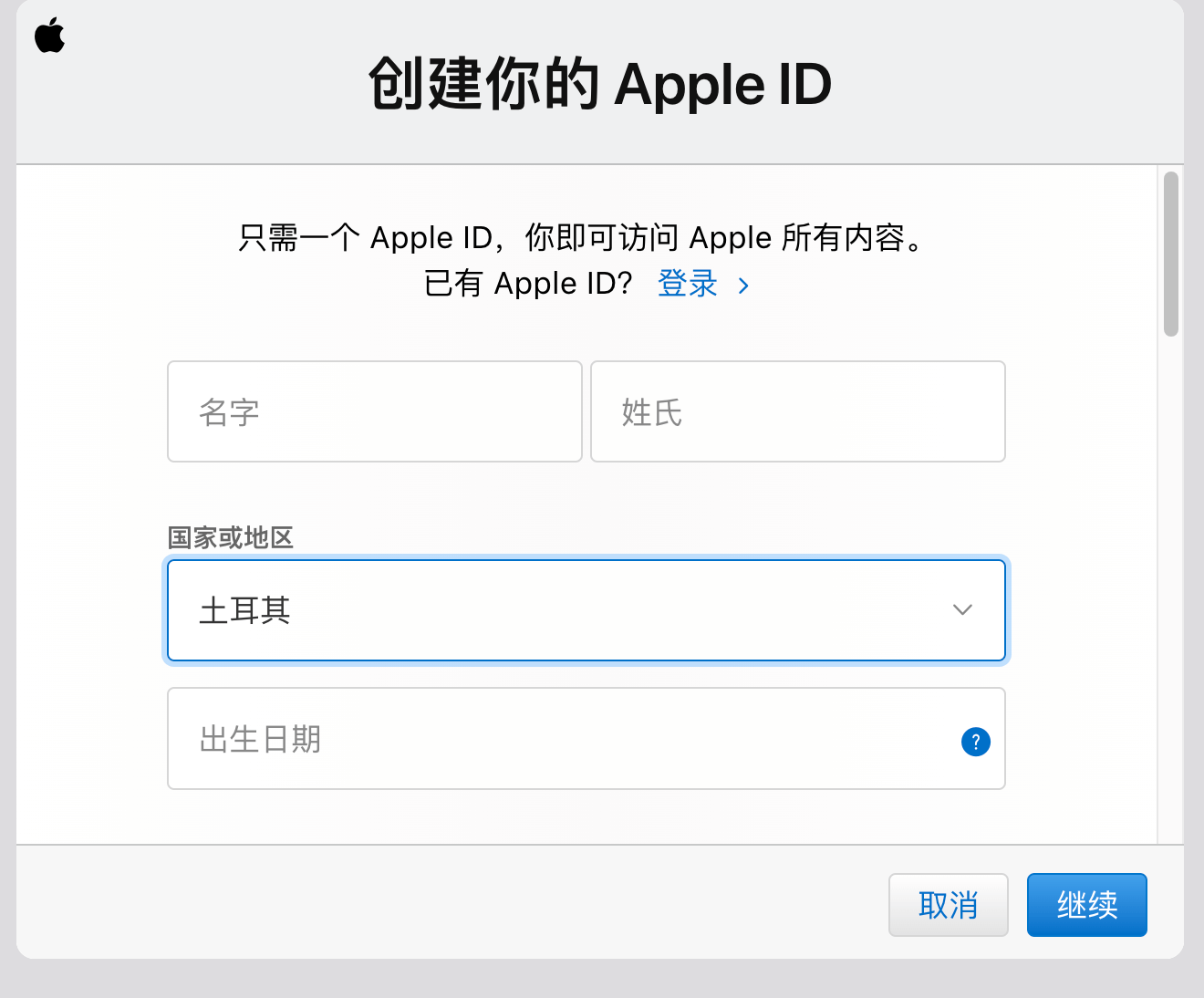
- Select Turkey as the country
- Enter your QQ Mail address as the iCloud account
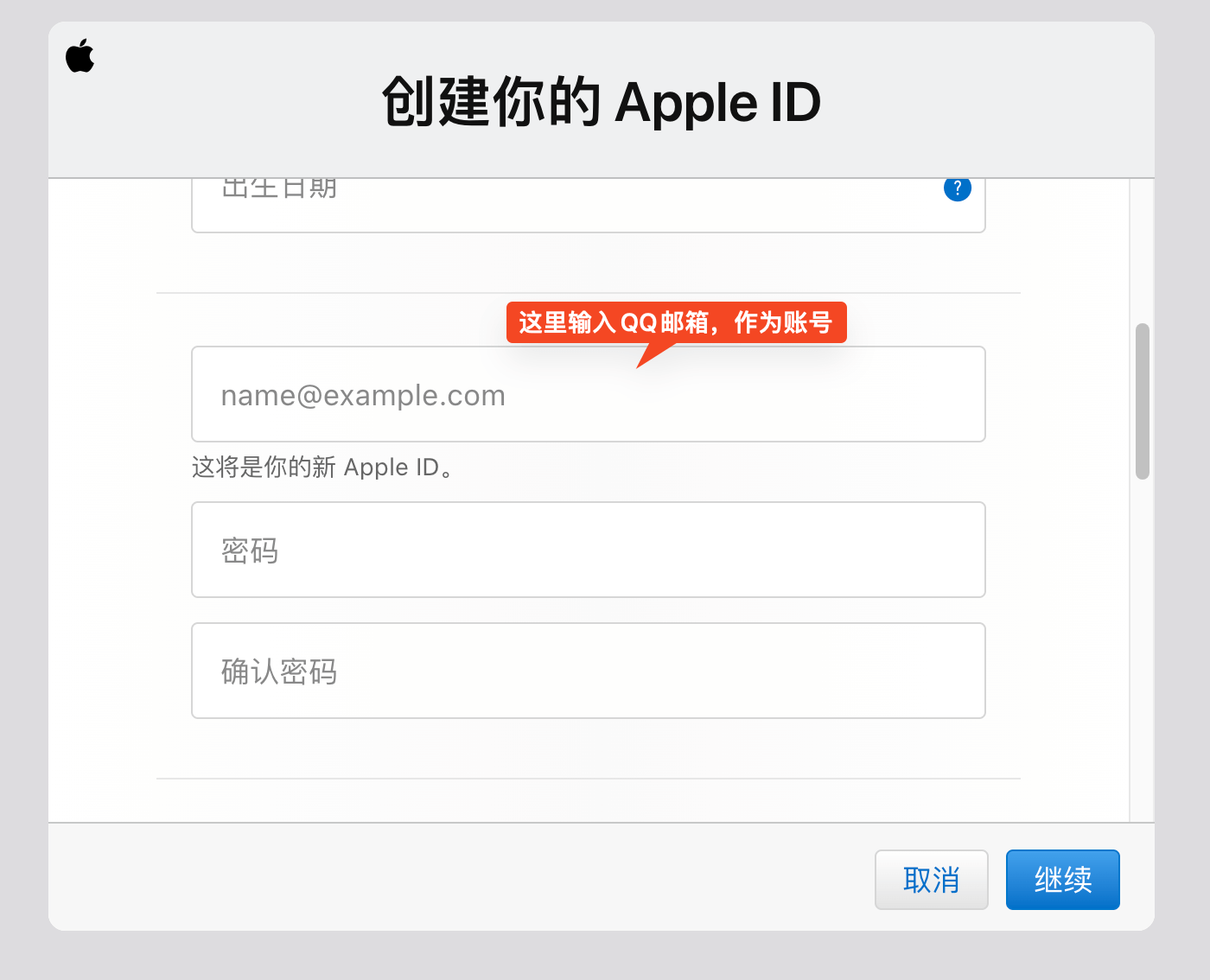
- Phone: enter a mainland China phone number
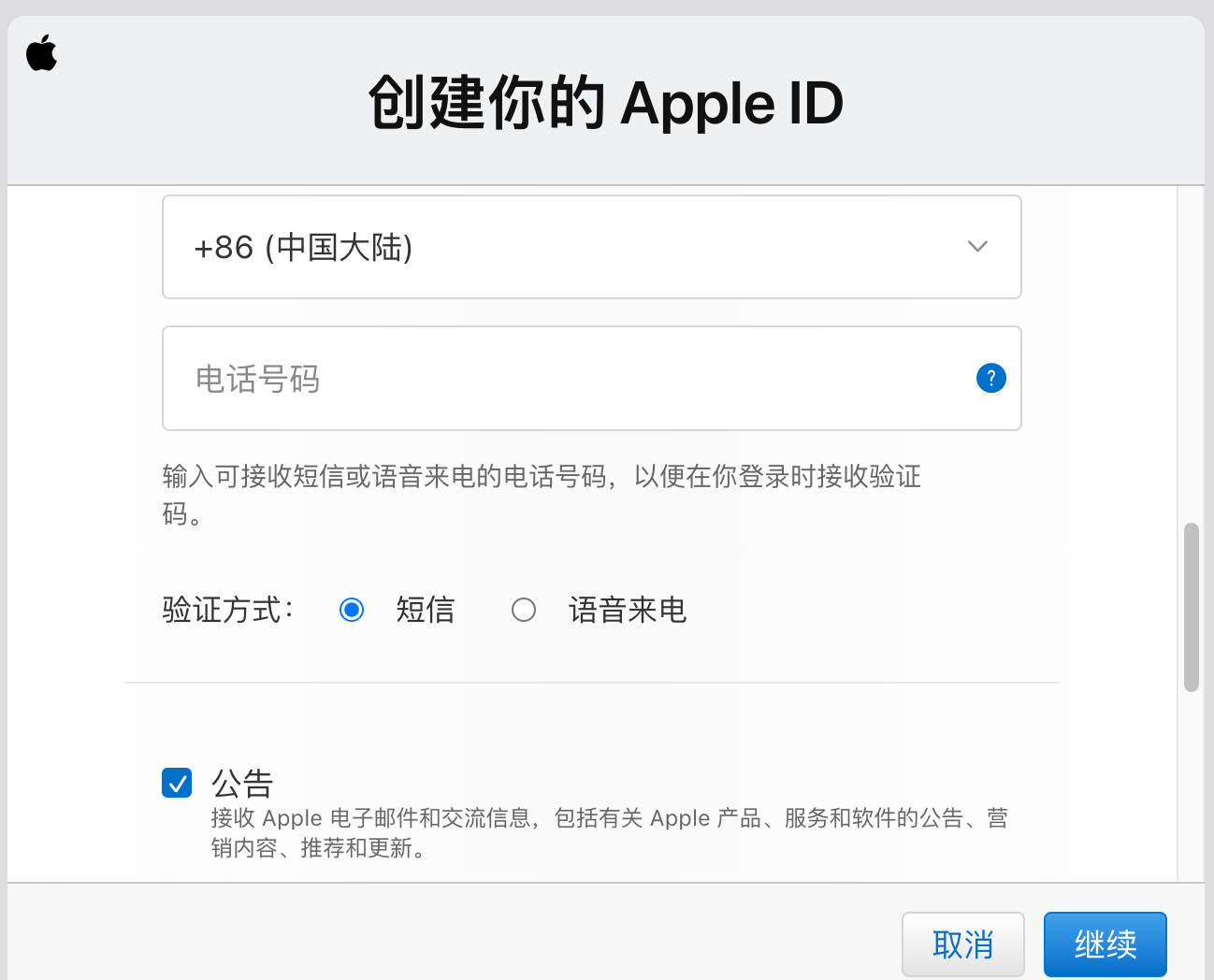
If a pop-up appears during registration saying “Your account cannot be created at this time”, there are many possible causes. I was stuck on this for a long time on my first attempt, and switching to a different QQ Mail address finally solved it.
- The current device has already set up too many iCloud accounts within a year — use a different device to create the account. See https://support.apple.com/zh-cn/101661.
- The age entered is too low; it must be over 13
- Network issues — find a stable network environment
- Apple services may be unstable, see https://discussionschinese.apple.com/thread/140125491?sortBy=best
Sign in to the Turkey-region iCloud account and edit [Payment Information]
After registration, sign in at https://appleid.apple.com/ with the account you just created. Find the account information and fill in the payment information. The payment information content is [extremely important] — without it you cannot properly use gift cards to purchase iCloud+.
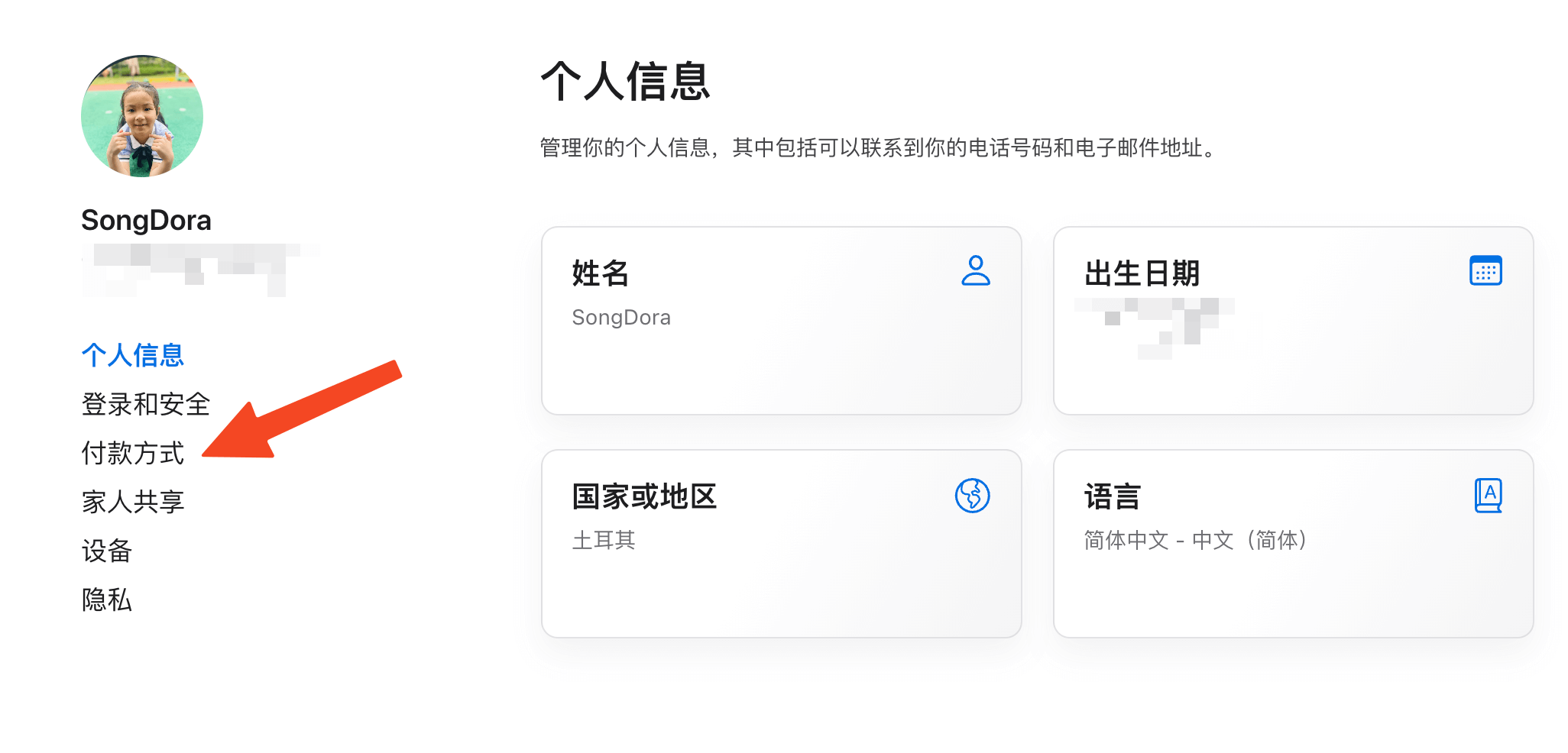
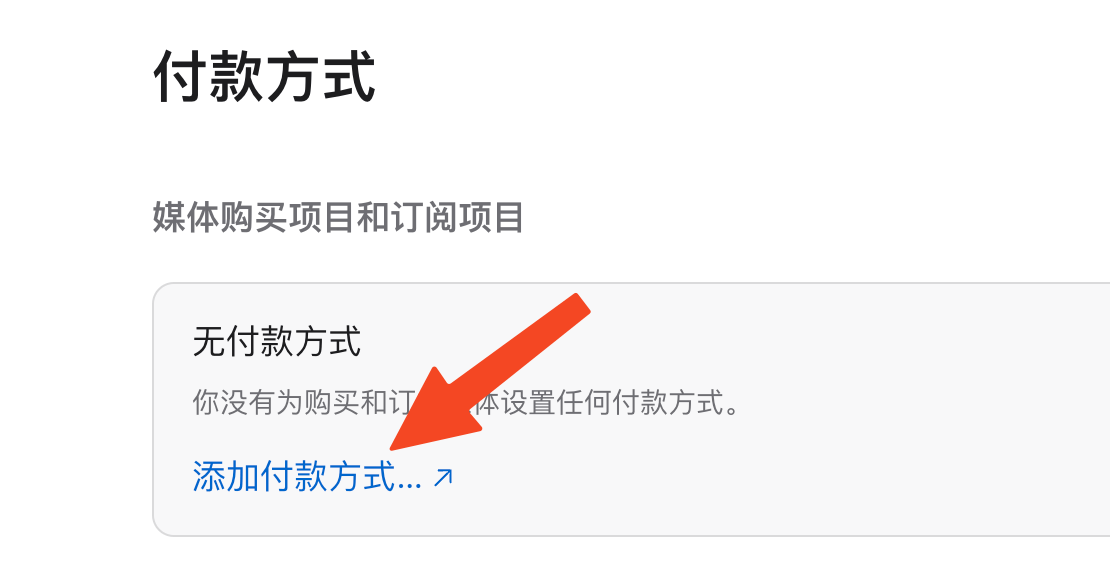
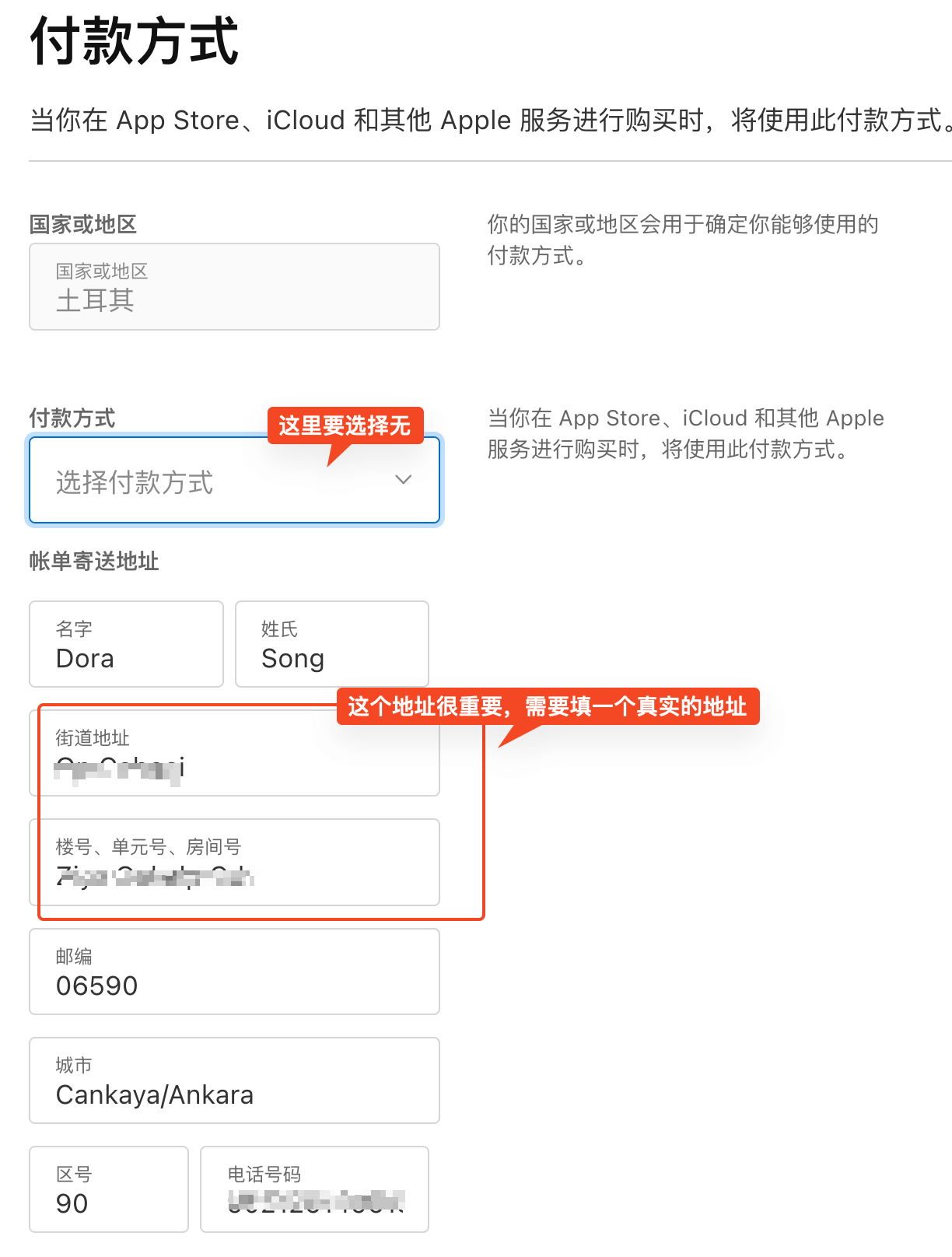
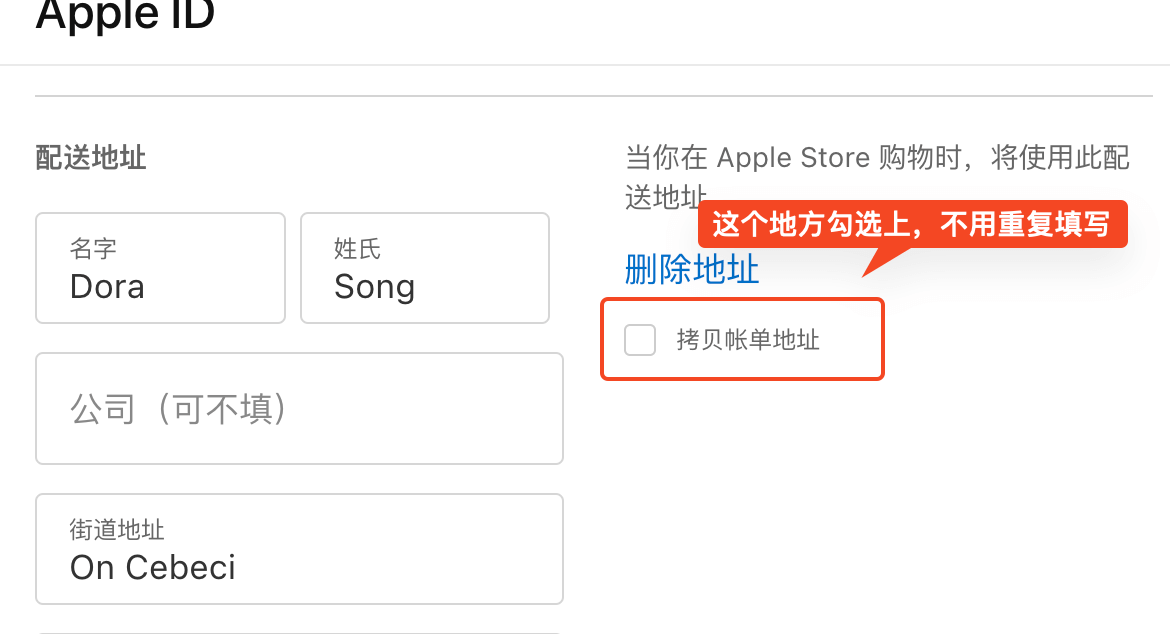
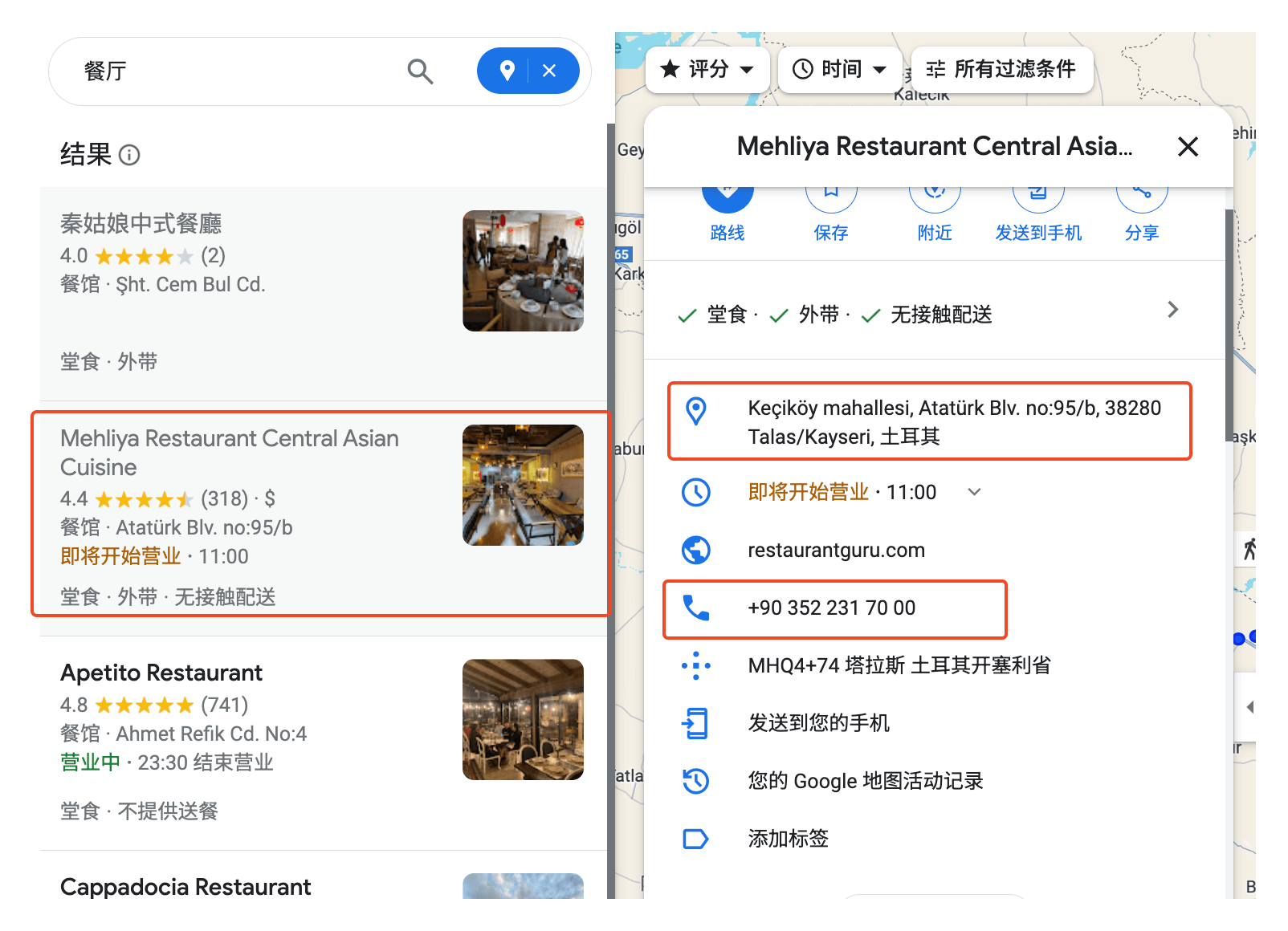
The billing address for the payment method must be a real address. Getting a real address is easy: just find any restaurant on Google Maps.
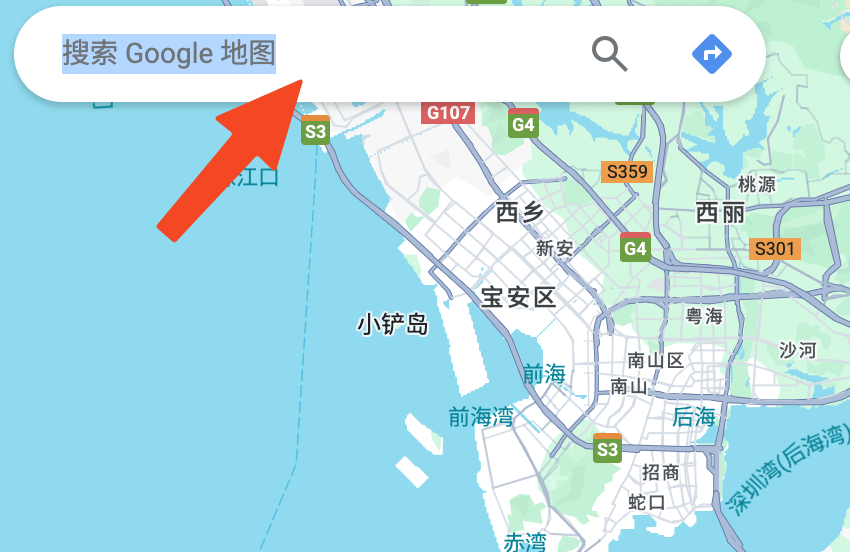
- Open https://www.google.com/maps/
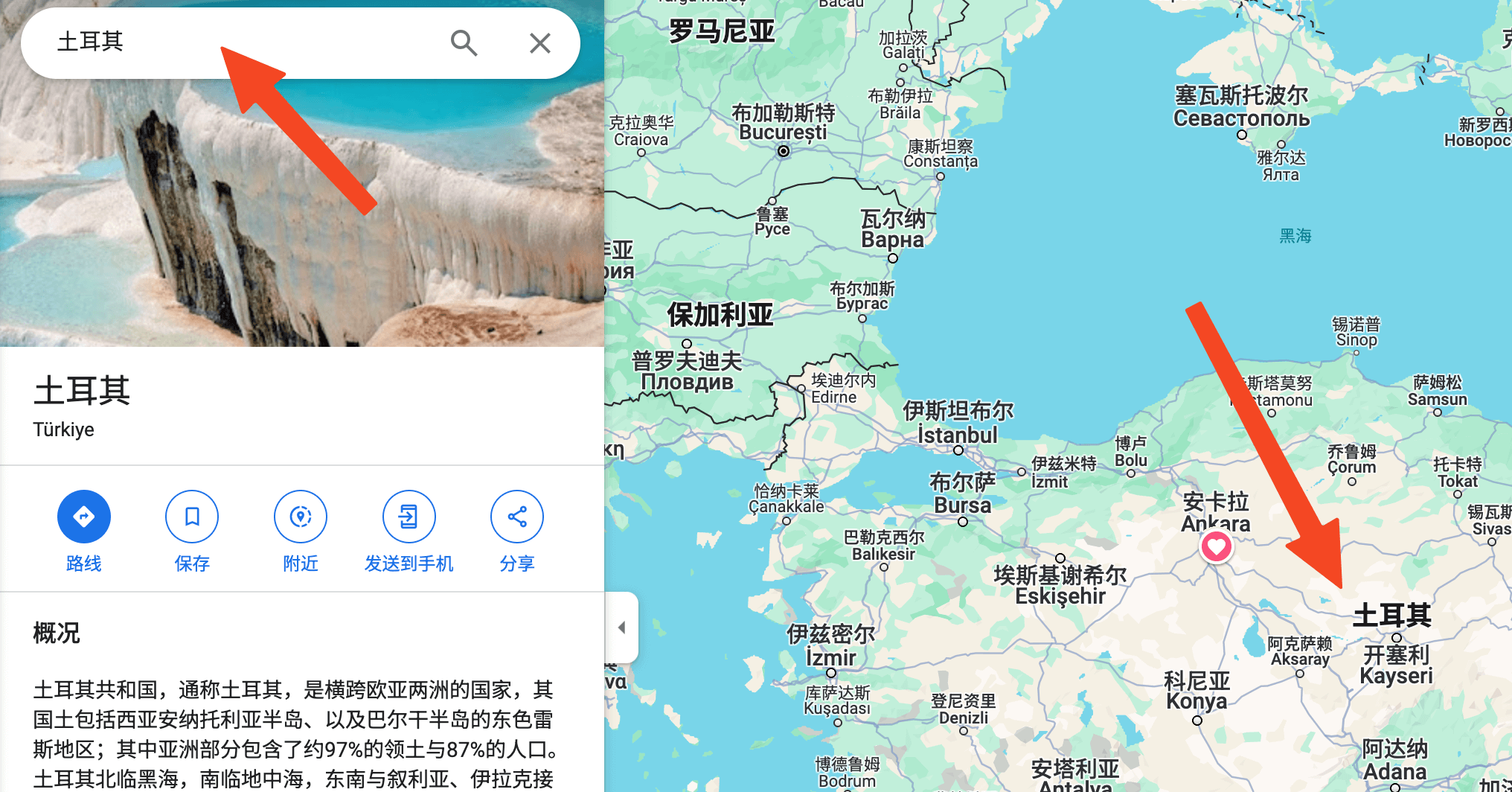
- Type Turkey in the search box
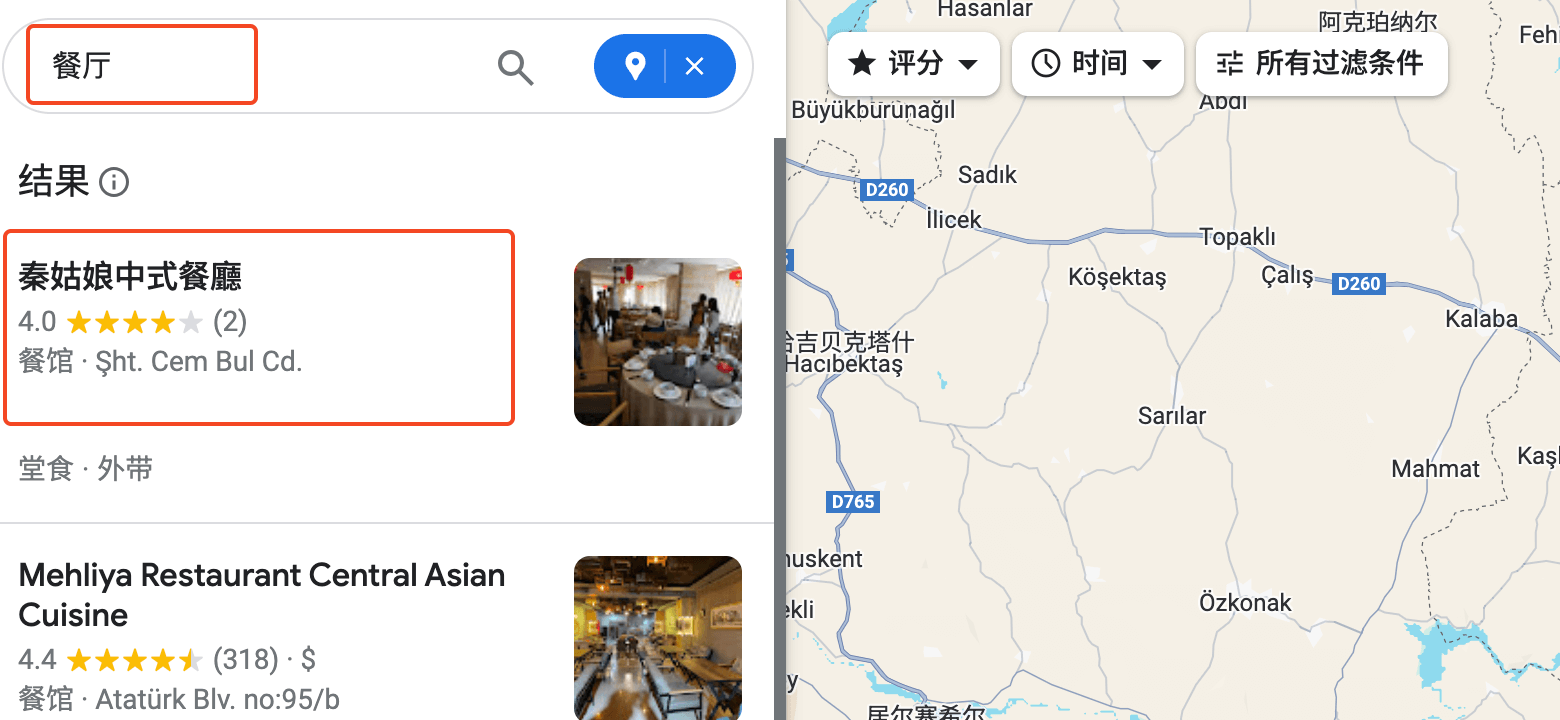
- Click Nearby, then search for restaurants
- Pick any result and copy its address
**Please translate the following Turkish address in the format: country, city, district, street address, unit number:**

Content to translate: Keçiköy mahallesi, Atatürk Blv. no:95/b, 38280 Talas/Kayseri, Turkey

Translation:

Country: Turkey
City: Kayseri
District: Talas
Street address: Atatürk Blv. No. 95/B
Unit number: none

So the full translated address is: Turkey, Kayseri, Talas, Atatürk Blv. No. 95/B.
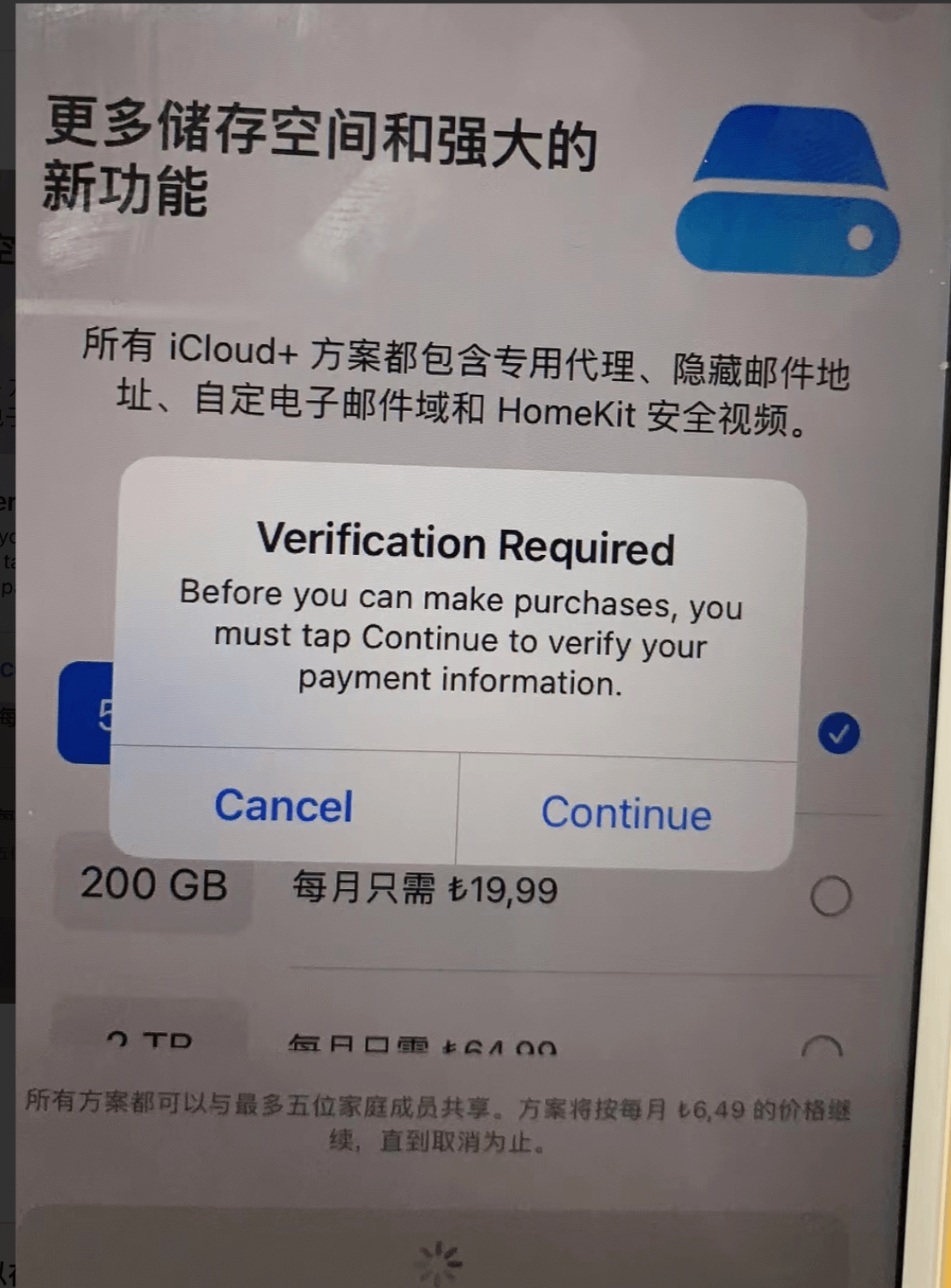
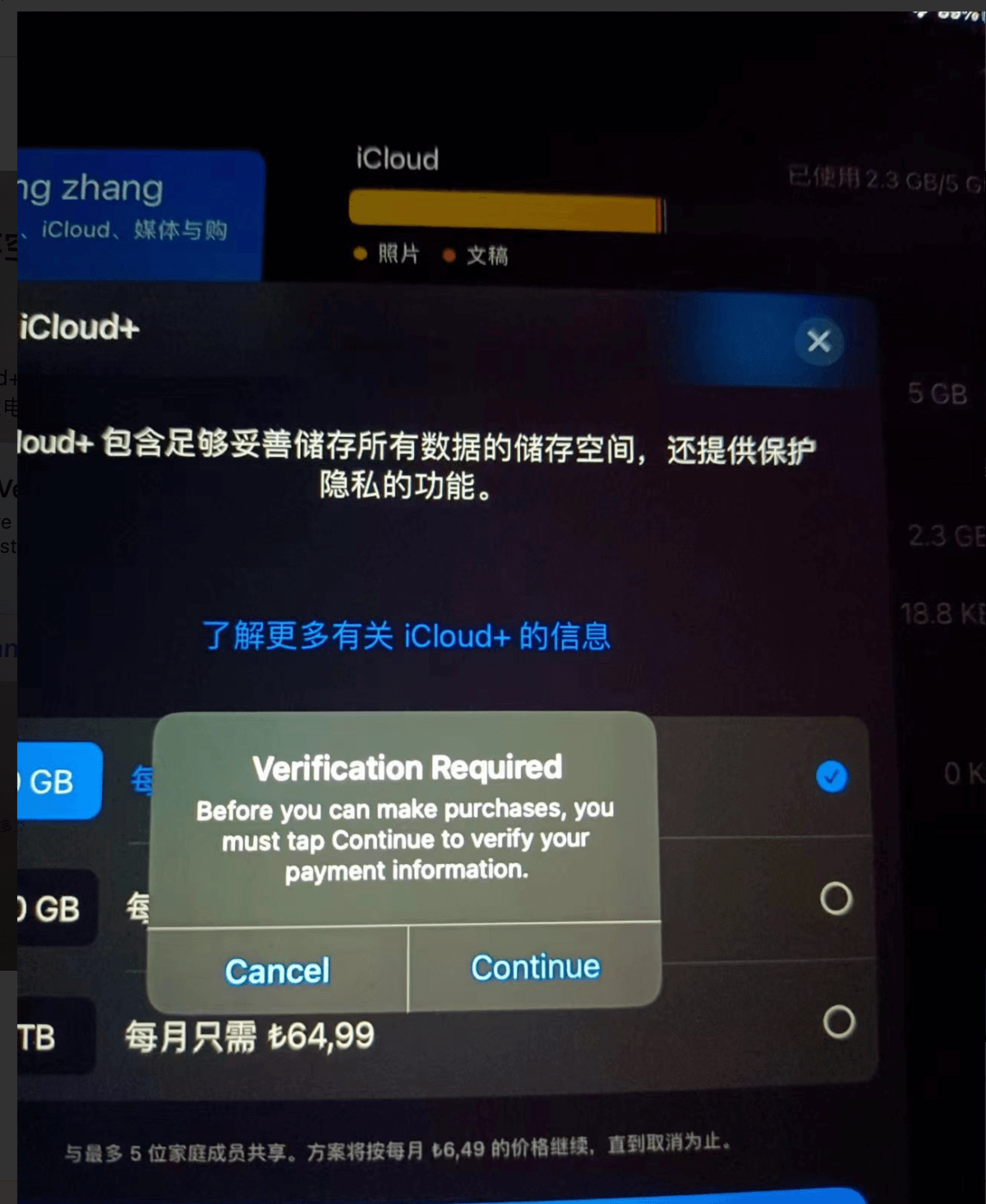
If the address is filled in incorrectly, a pop-up will appear when purchasing App Store items.
Buying and Redeeming Turkish iCloud Gift Cards
To purchase Apple subscription services with a Turkey-region iCloud account, you need gift cards. There are three ways to buy them:
- oyunfor
- Taobao (某宝, China’s largest online marketplace)
- Xianyu (小黄鱼, slang for Alibaba’s second-hand marketplace)
If you don’t want the hassle, just buy from a high-volume seller on Taobao.
To buy on oyunfor, you need:
- A credit card: UnionPay or Visa
- A mainland China phone number, matching the number registered with the bank for the credit card.
Below are the main steps for buying gift cards on oyunfor.
Register an oyunfor account
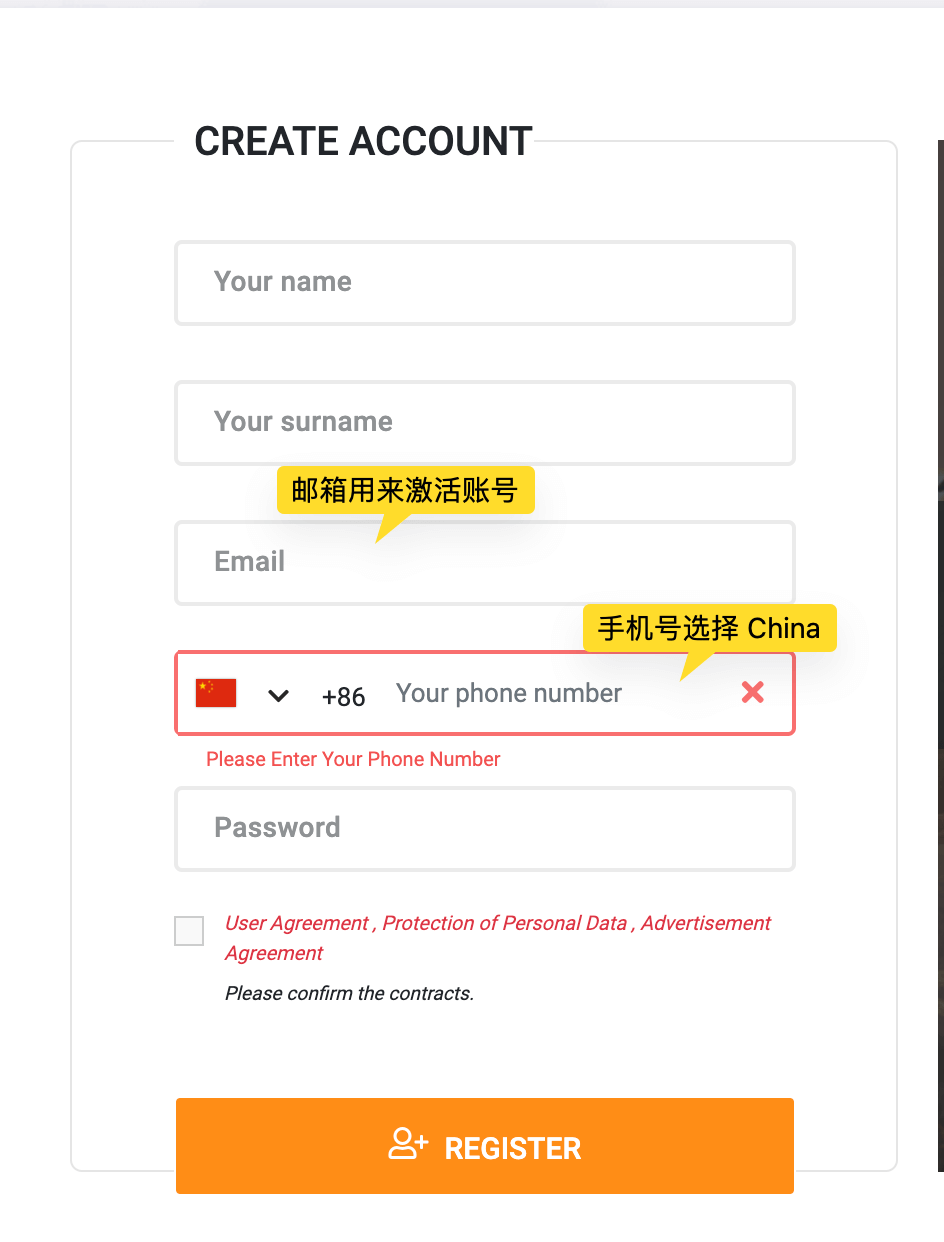
Open the oyunfor website and click register to enter the registration page.
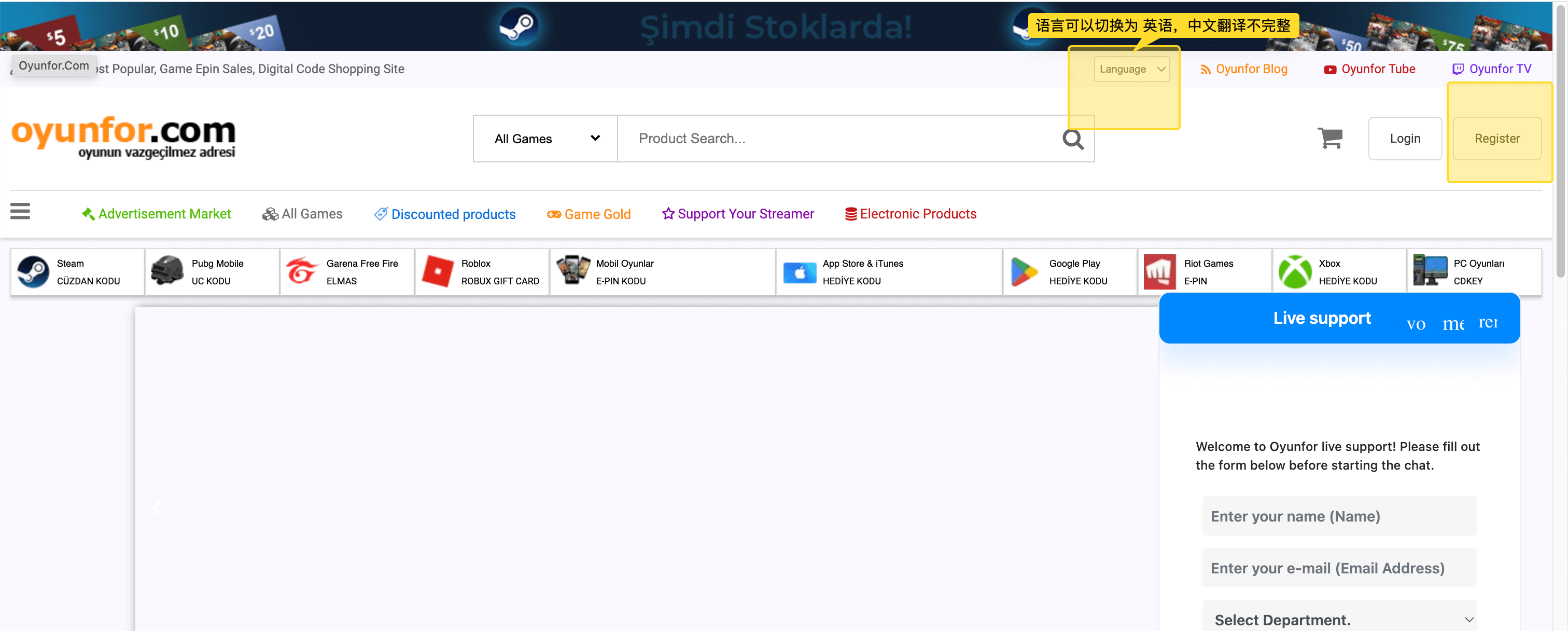
- The email is needed to activate the account
- Choose a mainland China phone number to receive the SMS verification code.
Sign in to oyunfor
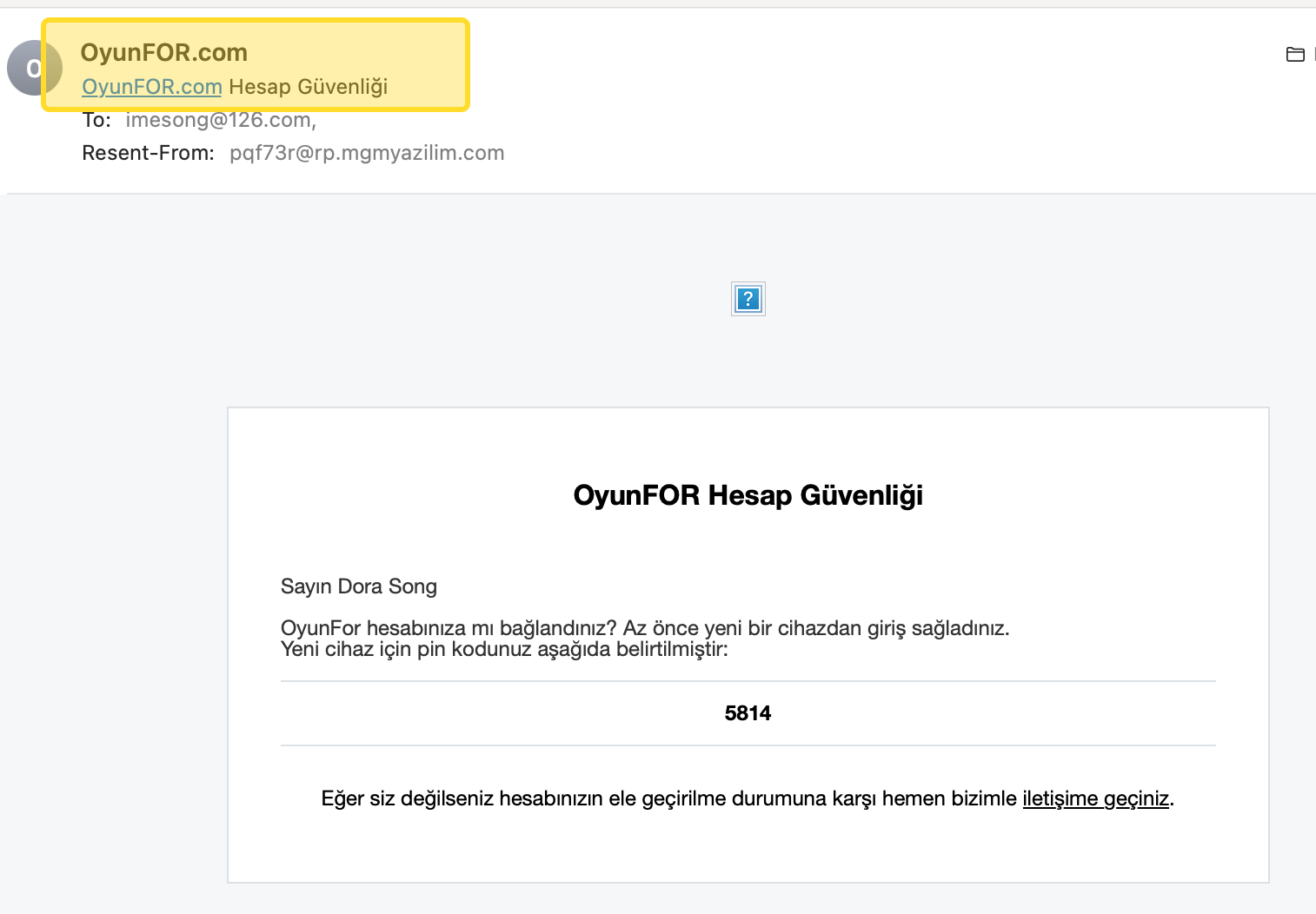
After registration, sign in with the account you just created; signing in requires a verification code sent to that email.
The email content may be unreadable — just note the sender and the verification code.
After signing in, you can see your name in the account info area on the homepage, along with the App Store gift card purchase entry.
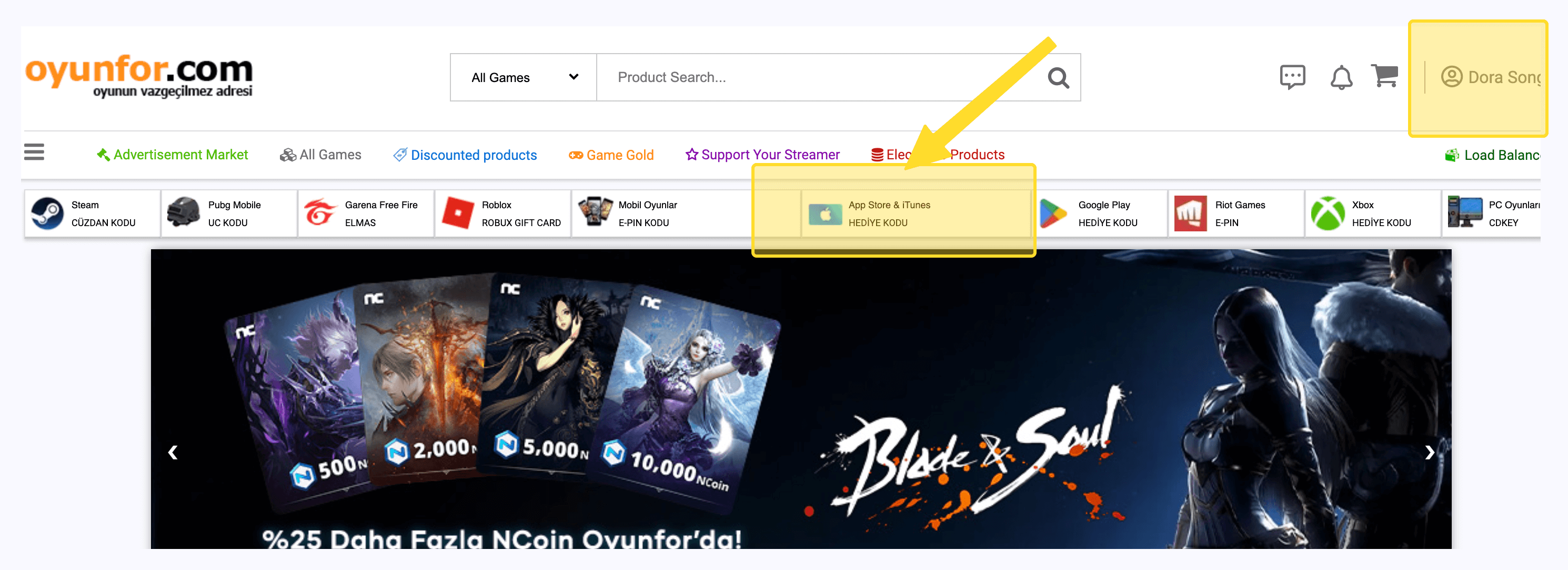
Click the purchase entry to enter the purchase selection page.
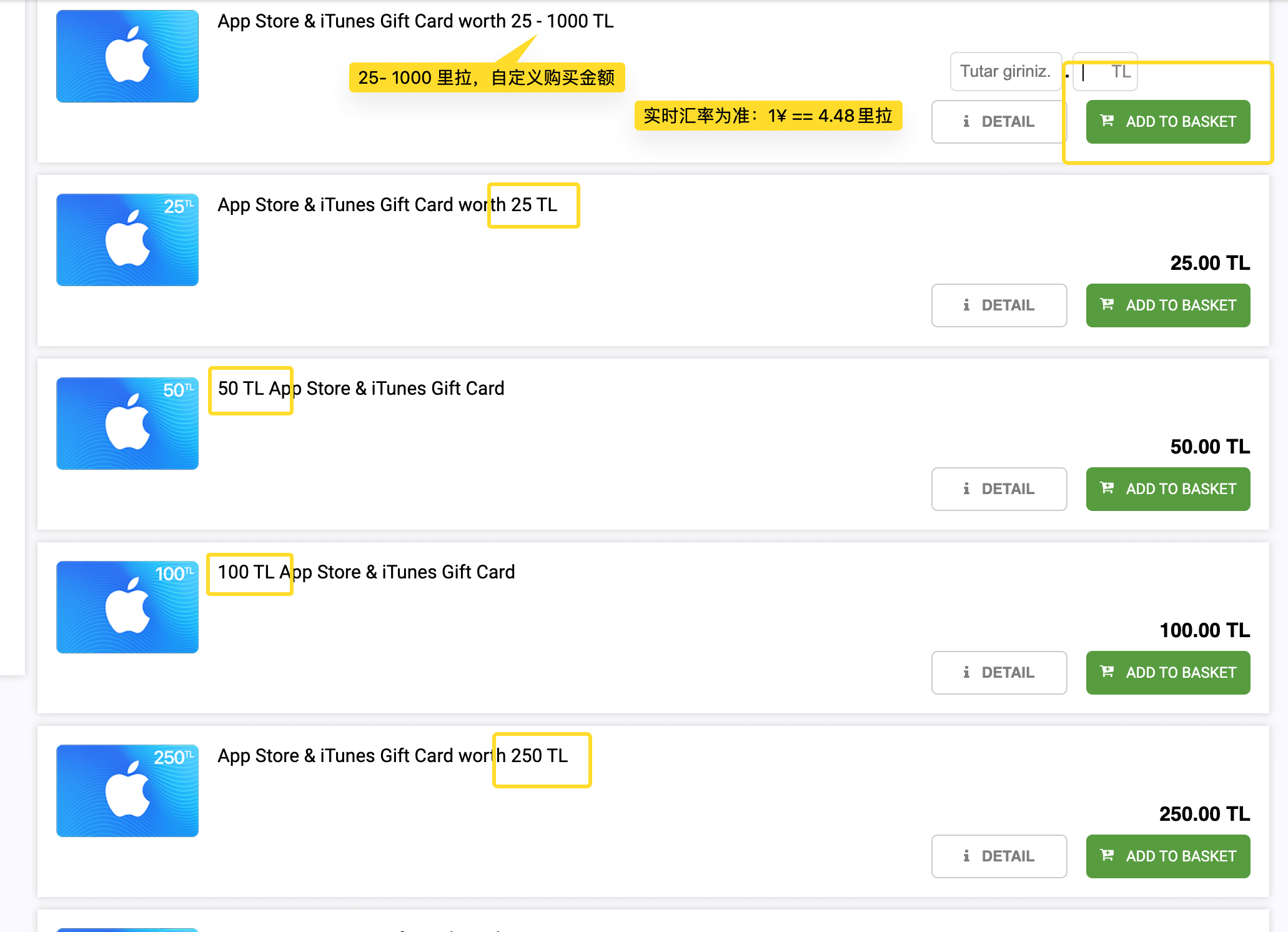
If it’s your first purchase and you’re a bit unsure, buy a small amount first to confirm the flow. 1¥ == 4.48 lira. Buying 25 lira costs 5.5¥.
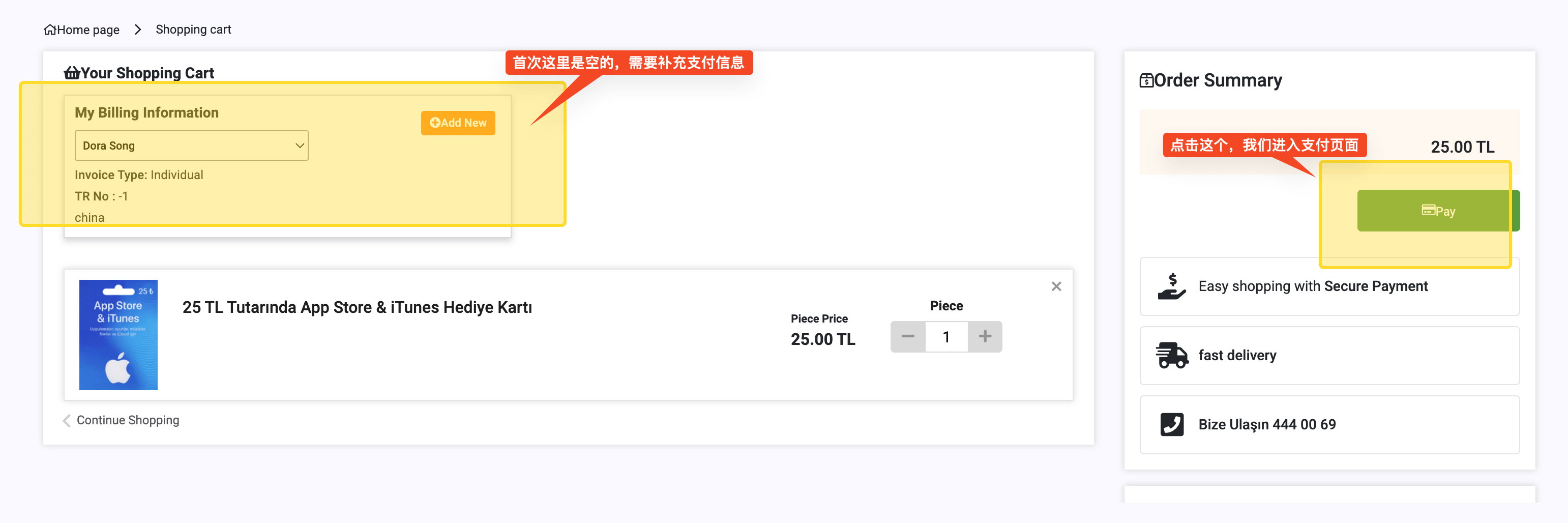
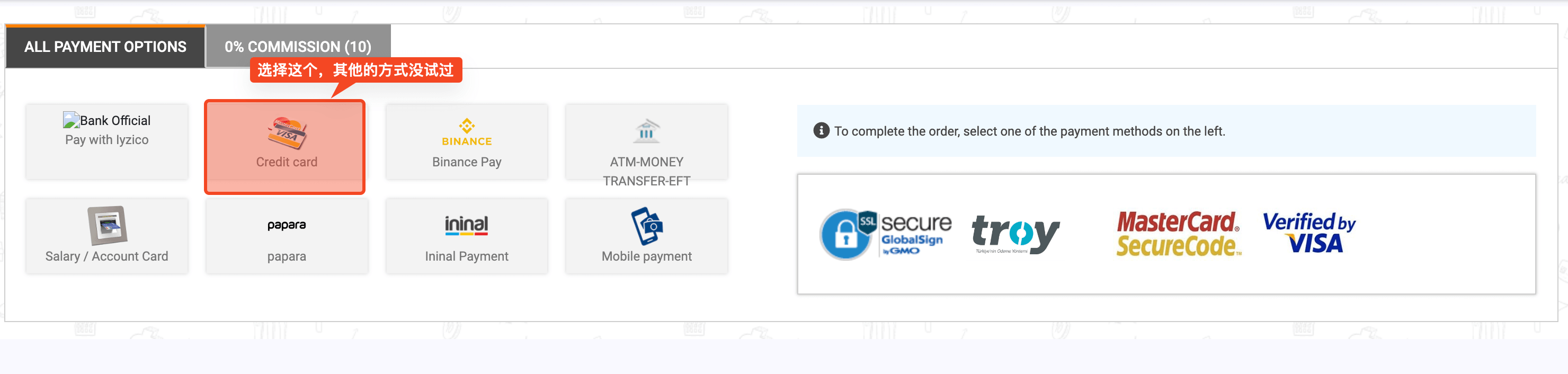
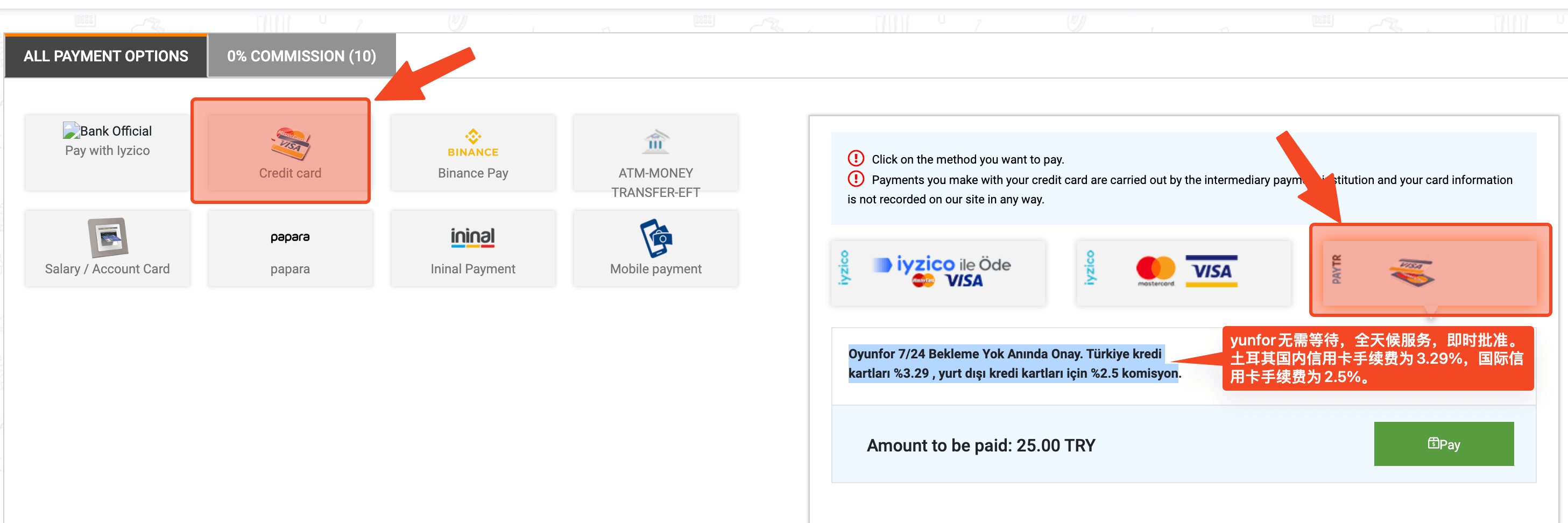
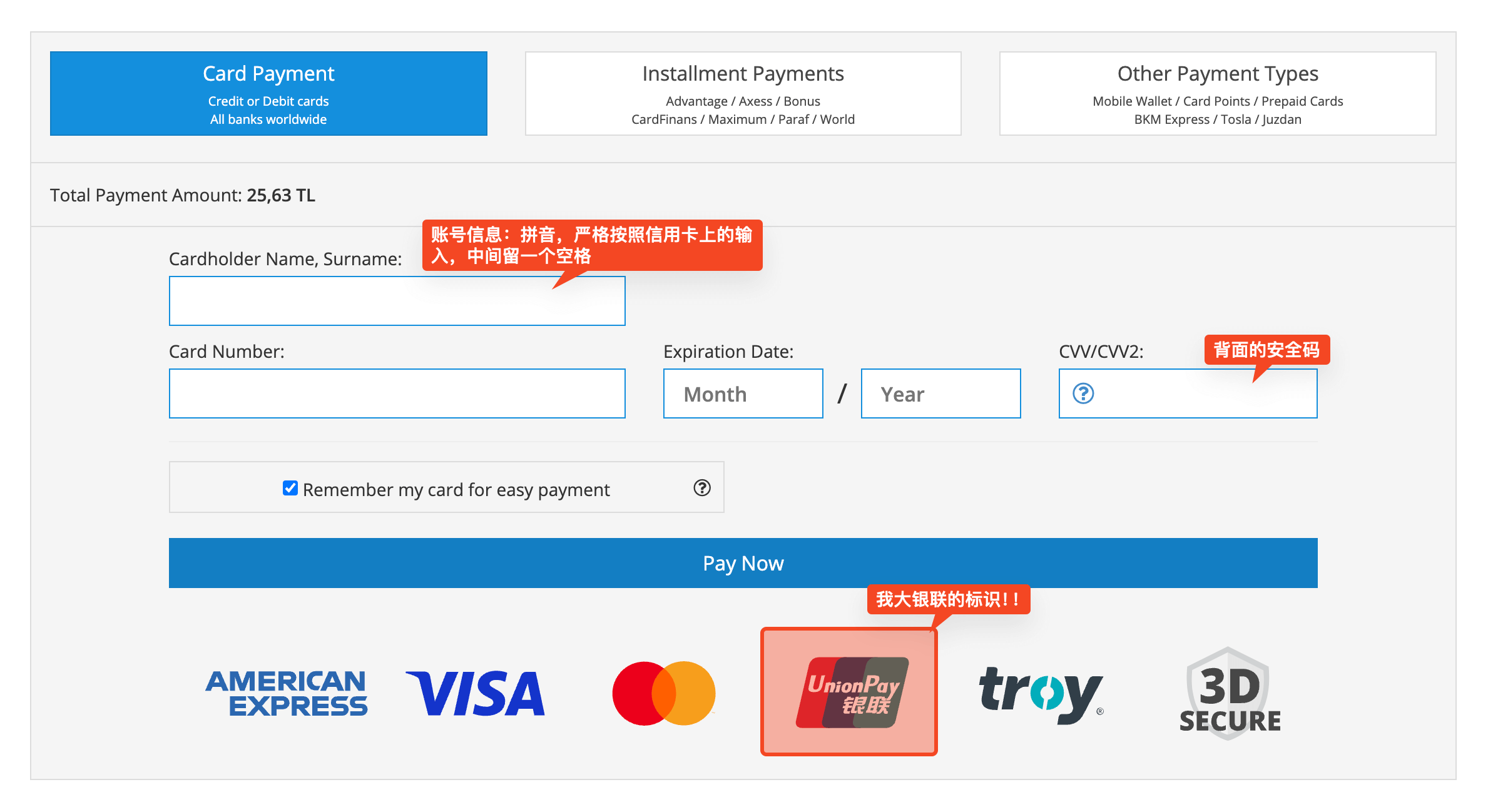
For the payment method, choose credit card; I haven’t tried the other payment methods.
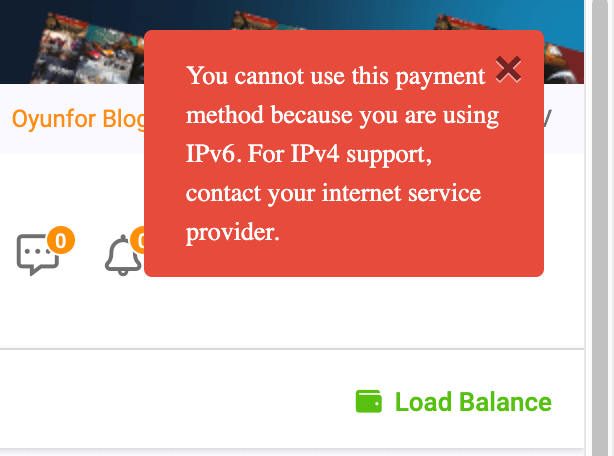
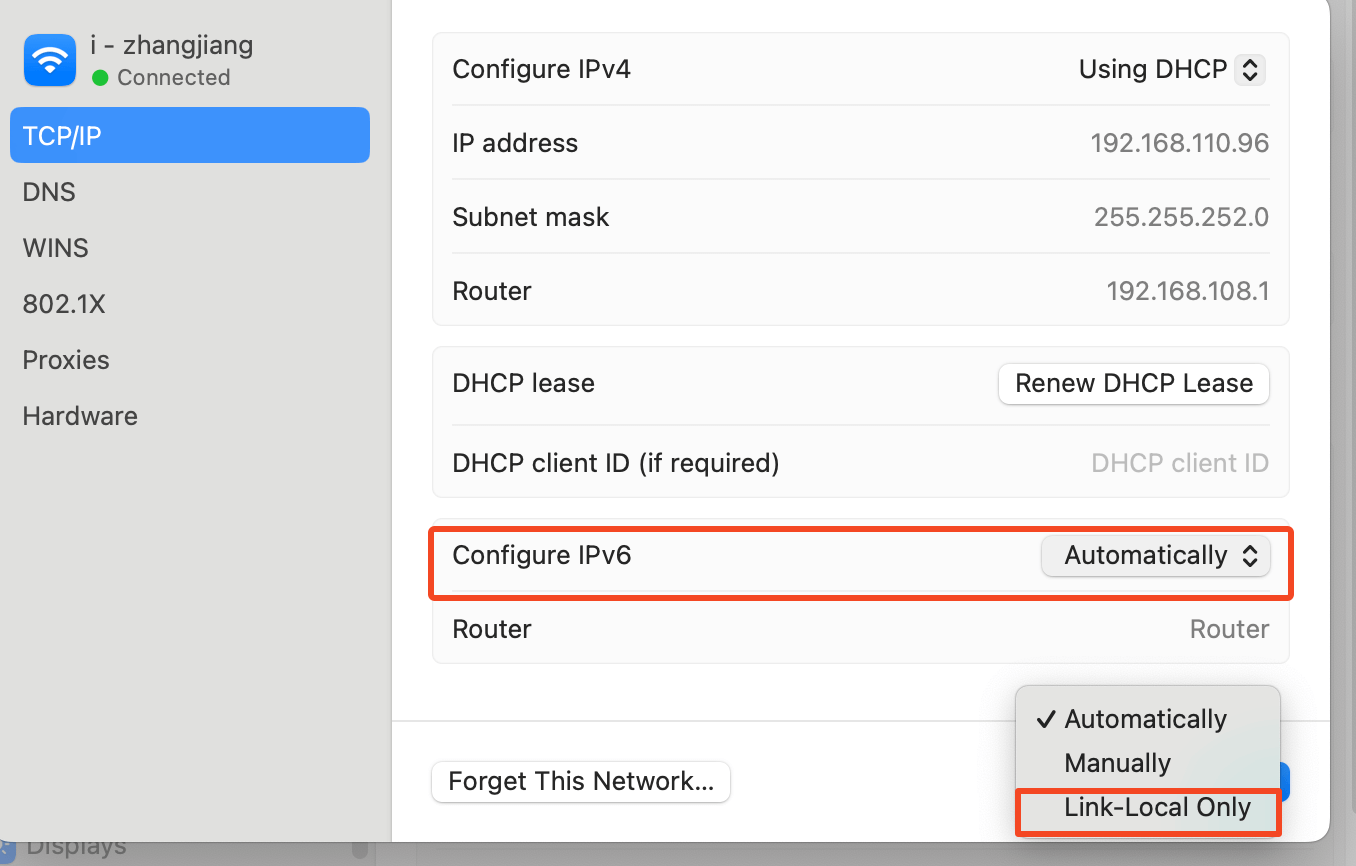
During payment, if you run into this problem, you need to disable IPv6 access on your Wi-Fi and use IPv4. Remember to switch it back after the payment succeeds.
Enter your credit card information.
After entering it, there is one more payment confirmation page.
Once the whole flow is done, you can see the order information in your personal center.
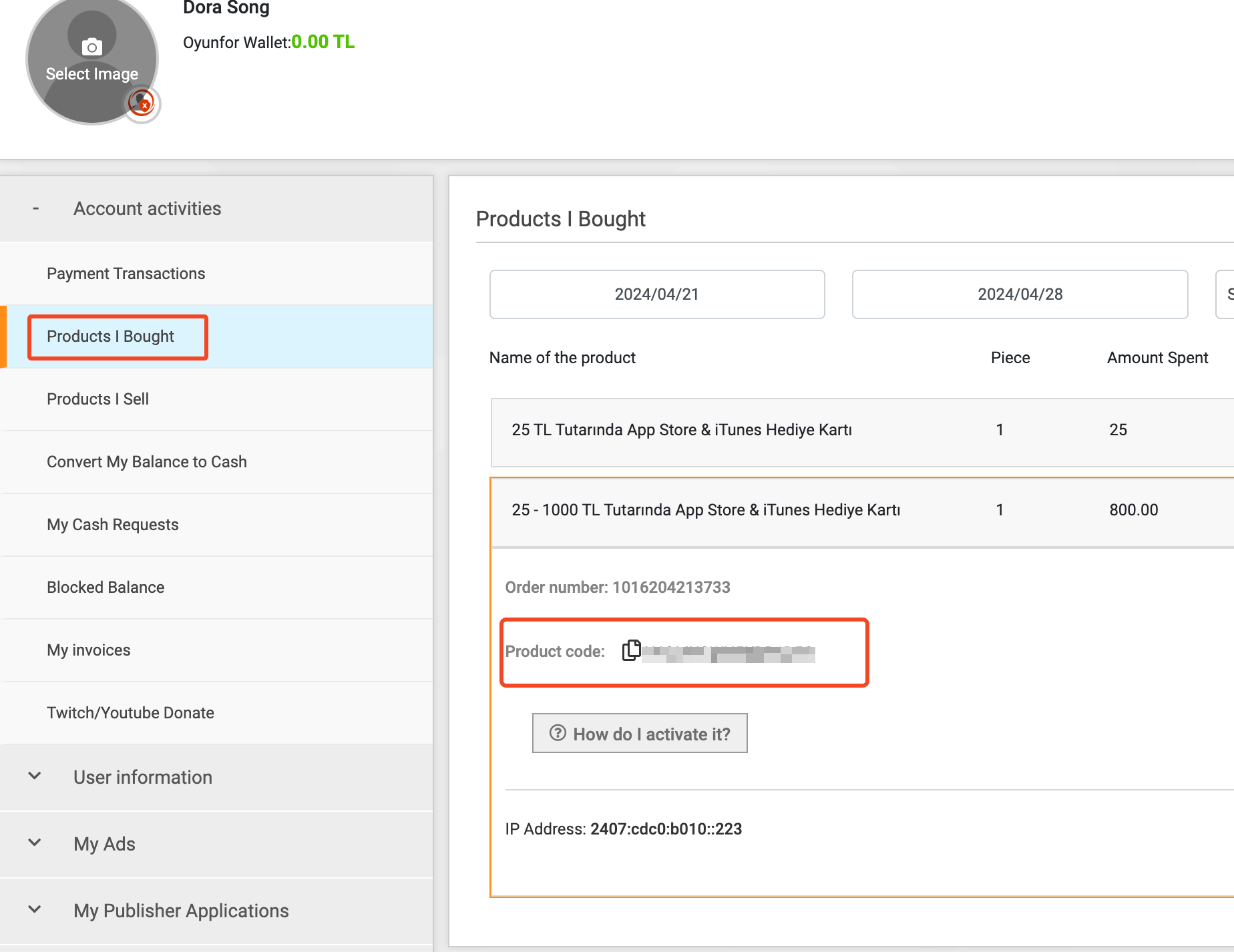
The Product Code is your gift card information. Keep it secret — once it leaks and gets used, it cannot be recovered.
Redeeming App Store Gift Cards
Redeeming a gift card is simple and works on Mac, iPhone, and iPad. Open the App Store and go to your personal settings page.

- Redeem Gift Card: redeem the gift card
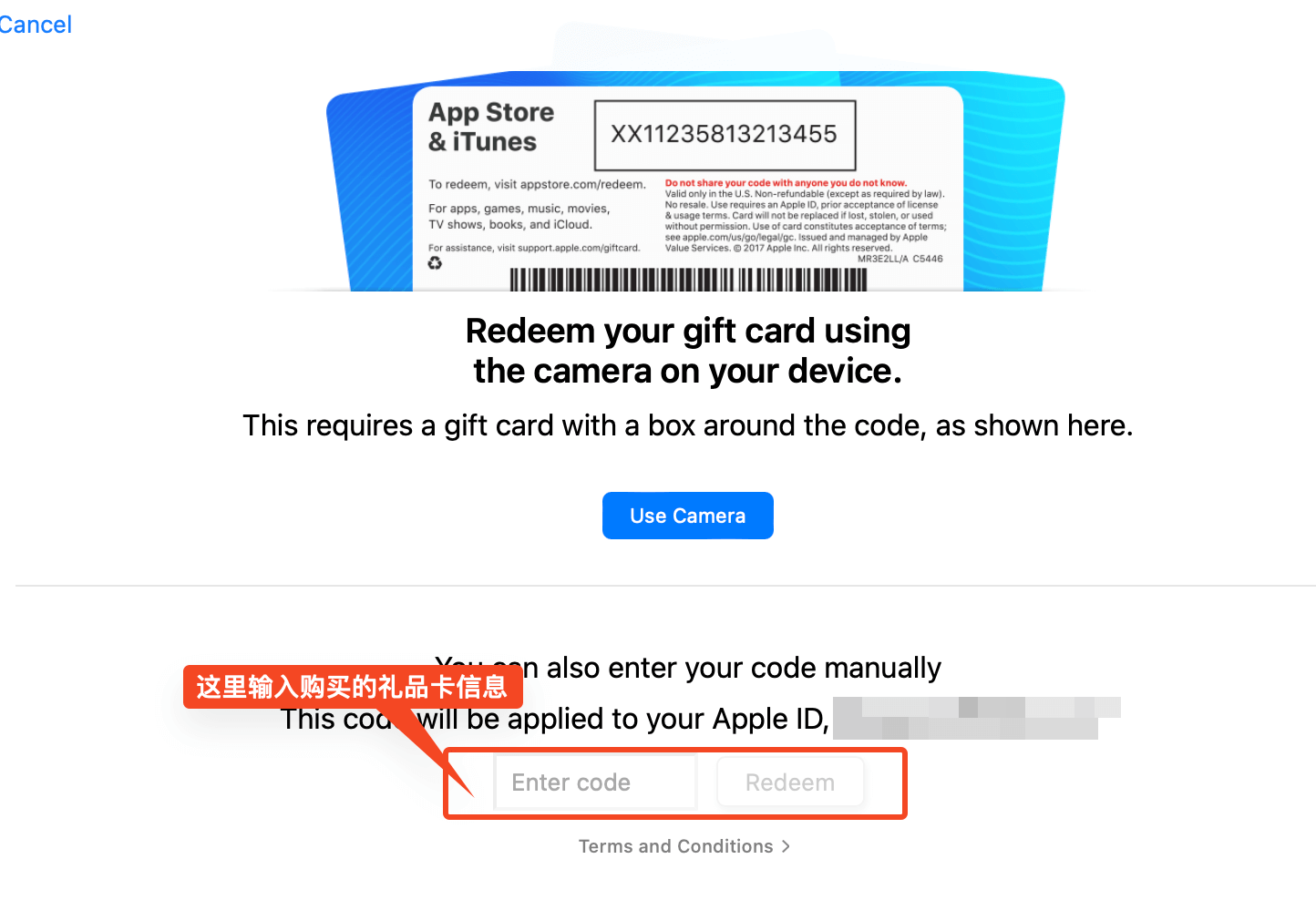
After redeeming successfully, check the balance in your App Store.
iCloud Family Sharing
Upgrading storage on the Turkey-region iCloud account
Sign in to an Apple device with the Turkey-region account.
[Settings] > [Your Avatar] > [iCloud] > [Manage Storage] > [Change Storage Plan]
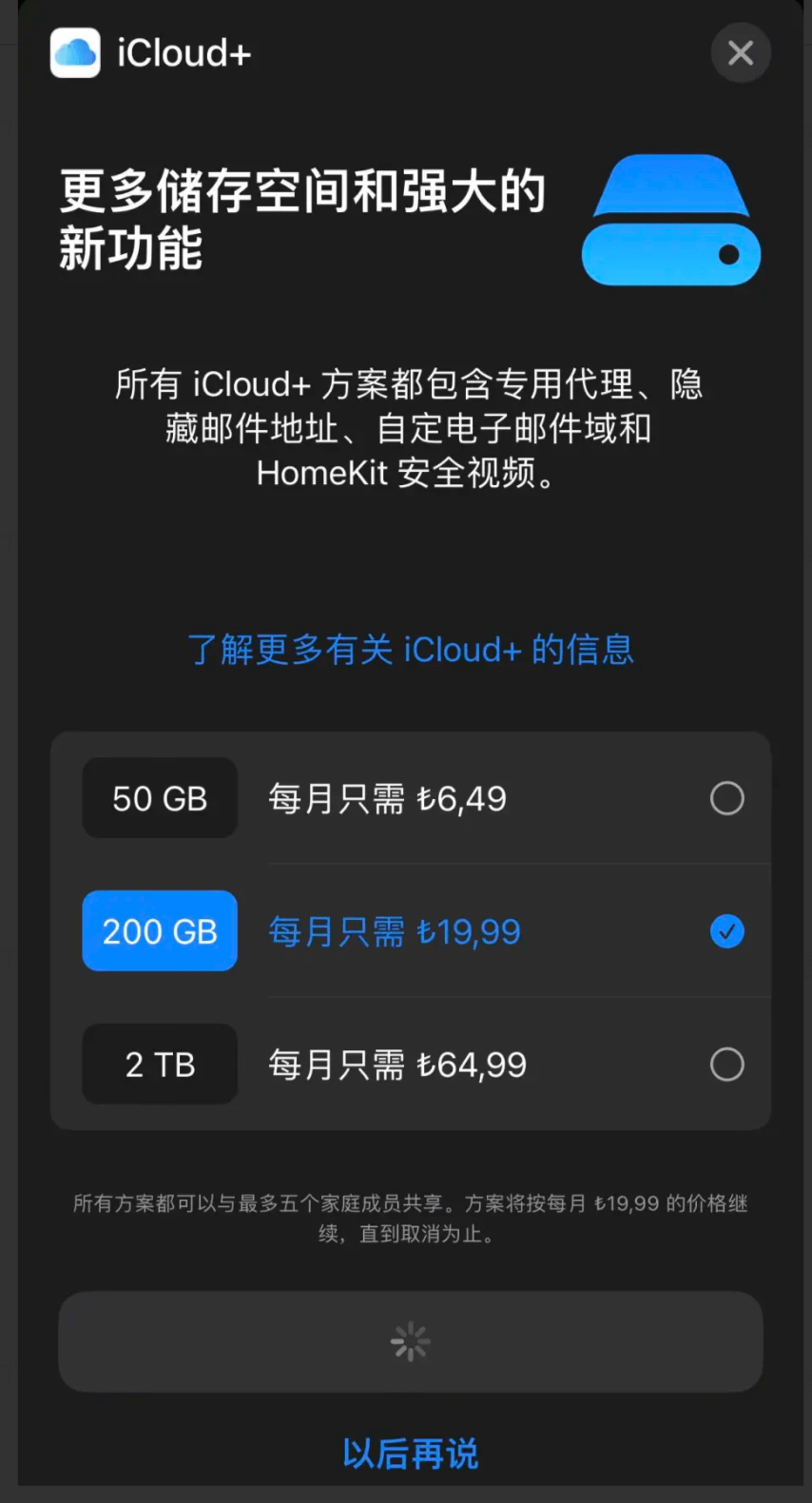
After finishing, check whether your storage has become 200GB.
Creating a Shared Family
There are several ways to set up Family Sharing; the main difference is who acts as the organizer. It’s recommended that the main China-region account be the organizer, so the data is stored with Guizhou-Cloud (云上贵州, Apple’s iCloud data partner in mainland China).
Adding family members via AirDrop
To use an AirDrop invitation, on the organizer’s device tap [Settings] > [Your Name/Avatar] > [Family Sharing], then tap the [Add Account] button in the top-right corner, tap [Invite People] in the pop-up window, and choose [AirDrop];
[Settings] > [Your Name/Avatar] > [Family Sharing] > [Add Account] > [Invite People] > [AirDrop]
Then, on the other device already signed in with the Turkish account, enable [Allow AirDrop from Everyone] and place it nearby. The phone will pop up the invitation, and following the prompts will invite this “Turkish person” into your Chinese family.
Sharing iCloud+ Storage
Sign in with the Turkey-region account and go to [Settings] > [Your Avatar] > [iCloud] > [Share with Family]
Then you can share the Turkey-region account’s iCloud storage with the other family members.
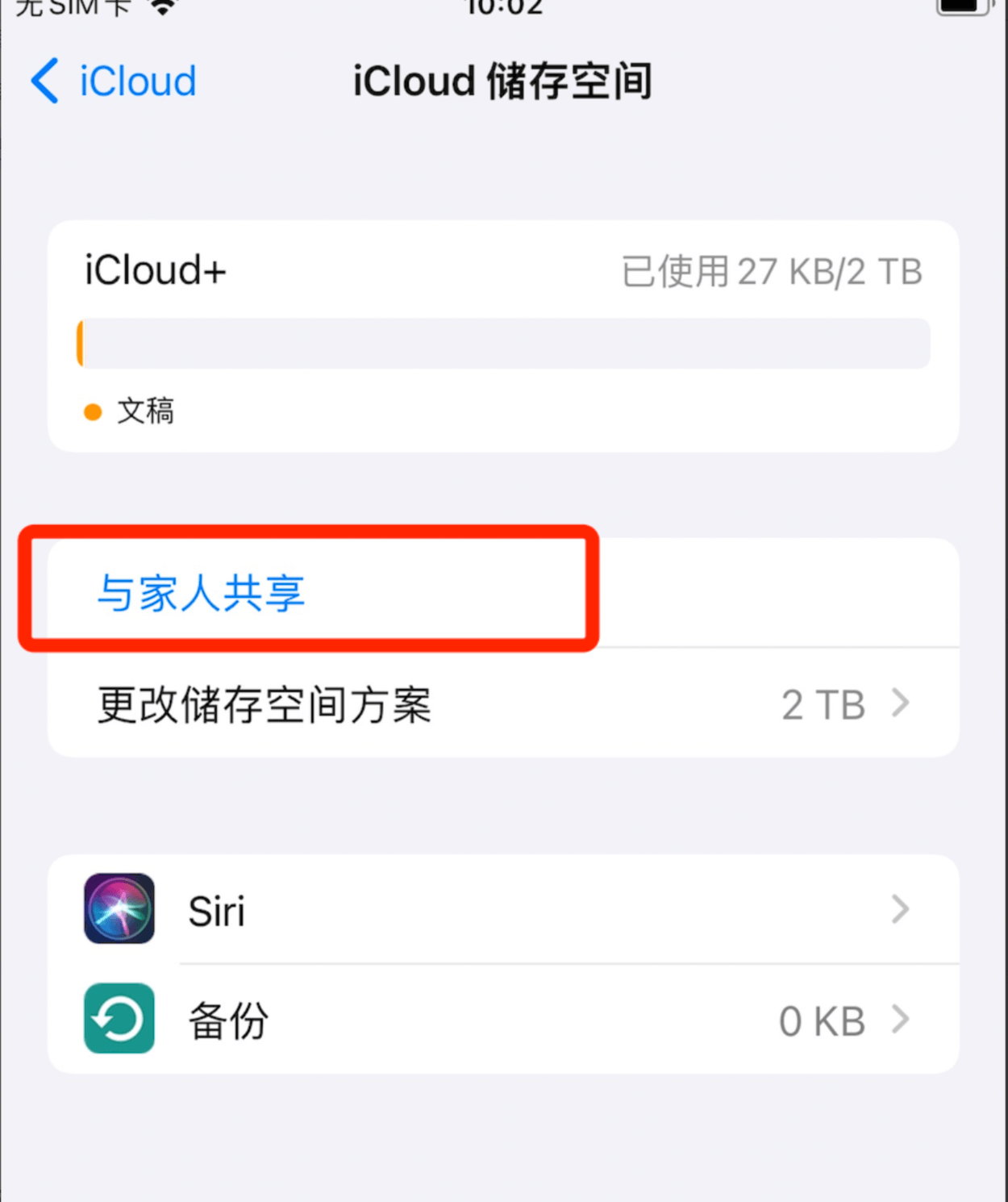
That completes registering a Turkey-region iCloud account, buying Turkish App Store gift cards, subscribing to the Turkish iCloud+ plan, creating a cross-border family, and sharing the iCloud+ storage.
If you’re interested in expanding iCloud storage and run into any problems along the way, leave a comment or contact the author.
Follow the WeChat public account 技术后花园 (Tech Backyard) for more.